Self-hosting a Gemini capsule
2025-03-30 20:55
TLDR: How I created and serve my Gemini capsule
I've been enjoying reading content in lagrange lately. Lagrange is a client for the Gemini and Gopher protocols, which are essentially simpler versions of HTTP and HTML - text and links only, with gemini providing a little extra styling than gopher. It's a fascinating place. A different kind of reading experience. Posts seem shorter, and written differently. I can't pinpoint what I mean by that, but it's definitely different. In the end it is a very pleasant reading experience.
I'm also super keen to improve my knowledge around networks, servers, self-hosting, and the like, so I thought I'd give a crack at setting up a Gemini capsule hosted on my own "server". I learnt a tonne already, so mission accomplished. Below is how I did it. A reference to myself and anyone else at a beginner level looking to dip their toes into a different area of the web.
First, a bit of background.
-
I don't have an actual server yet that runs 24/7, so I am just practicing on this laptop (running Linux and Debian), which means the capsule will only be accessible when the laptop is on. I have an unboxed Raspberry Pi 4 (bday present from Dad and R, thanks!), which, if all going well, I will transfer to once up and running.
-
I bought the zkbro.com domain a while back, and done nothing with it. I have decided to utilise this by using gmi.zkbro.com (gmi as the subdomain). This keeps zkbro.com free for HTTPS if I ever get around to it.
-
I use the helix text editor to edit files. This uses
hxcommand to load the application. Replace withnano,vim,microor whatever if something else is used.
Install server molly-brown
I'm using molly-brown as my gemini server software simply because it was available in the apt package manager, and I had tried agate previously without success (though after being through all this rigmarole I might be more successful a second time around).
sudo apt install molly-brown
Configure molly-brown
Create a molly.config file:
hx ~/.config/molly-brown/molly.conf
Enter in the following configurations:
Hostname = "gmi.zkbro.com"
Port = 1965
CertPath = "/home/zkbro/.config/molly-brown/certs/cert.pem"
KeyPath = "/home/zkbro/.config/molly-brown/certs/key.pem"
DocBase = "/home/zkbro/gemini"
AccessLog = "/home/zkbro/.var/log/molly/access.log"
ErrorLog = "/home/zkbro/.var/log/molly/error.log"
Note: Gemini clients by default use port 1965.
Create TLS certificate and key files:
openssl req -x509 -newkey rsa:2048 -keyout ~/.config/molly-brown/certs/key.pem -out ~/.config/molly-brown/certs/cert.pem -days 3650 -nodes -subj "/CN=gmi.zkbro.com"
Resource: How to Create your Own SSL Certificate Authority (CA) for Local HTTPS
Allow ports through firewall
sudo ufw allow 1965/tcp
Set up domain
In my namecheap.com dashboard, go to Domain List --> Manage (zkbro.com) --> Advanced DNS.
Enable Dynamic DNS: true Given I'm using a standard ISP this ensures the IP address I assign to this host are updated dynamically if they ever change (which they do). This also requires a Dynamic DNS client to pass current IP address to namecheap regularly.
Install ddclient:
sudo apt install ddclient
Follow the basic configuration steps in ddclient and when prompted use the password generated back in the namecheap dashboard.
Back in namecheap, under Host Records add a new record with the following information:
- Type: A + Dynamic DNS
- Host: gmi
- Value: My current public IP address
- TTL: Automatic
Set modem configurations
Login to the modem GUI in browser at http://192.168.1.1/. Login and password is on the bottom of the modem. I am currently using an old ISP modem (Slingshot) so steps below may look different on different modems.
Set up virtual server: Go to Advanced Setup --> NAT --> Virtual Servers and add a new server with the following configuration:
- Use interface: ETH WAN
- Custom Service: MollyBrown (or whatever)
- Enable LAN Loopback: true (so I can access the site on my own LAN).
- Server IP Address: 192.168.1.18 (replace 18 with whatever the server machine is. Check with
ip a.) - Status: Enable
- External Port Start: 1965
- External Port End: 1965
- Protocol: TCP
- Internal Port Start: 1965
- Internal Port Start: 1965
Start server!
molly-brown -c ~/.config/molly-brown/molly.conf
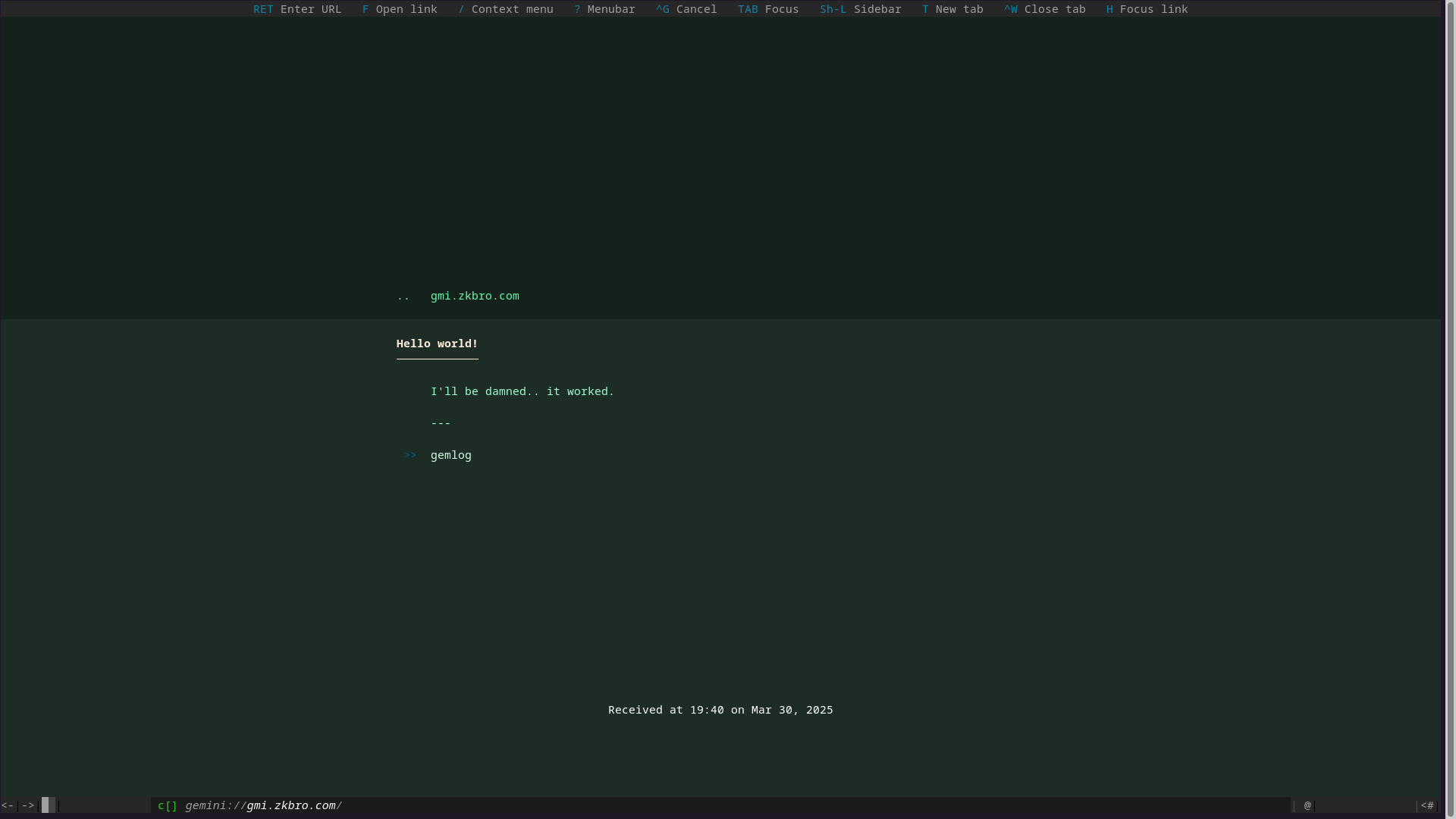
The capsule should now be visible at gemini://gmi.zkbro.com/:
Bonus: Start server on startup
Updated 3/04/2025 after a helpful pointer from Bacardi55. I have been using .desktop files for autostart applications in my ~/.config/autostart/ directory, however systemd.service files appear to be the better option. They provide more options, logging, and work with non-graphical environments, which is great for a server. I found the setup relatively easy too.
First check if a systemd.service file doesn't exist already with the name I'm going to use:
sudo systemctl list-unit-files --type=service
Create .service file:
hx /usr/lib/systemd/system/molly-brown.service
Insert text:
[Unit]
Description=Molly-Brown Startup
Wants=network.target
After=syslog.target network-online.target

[Service]
Type=simple
ExecStart=/usr/bin/molly-brown -c /home/zkbro/.config/molly-brown/molly.conf
Restart=on-failure
RestartSec=10
KillMode=mixed

[Install]
WantedBy=multi-user.target
Check service is created via status:
systemctl status molly-brown.service
Reload systemctl:
sudo systemctl daemon-reload
Enable service:
sudo systemctl enable molly-brown
Reboot to check all working.
Start and stop service by:
sudo systemctl start molly-brown and sudo systemctl stop molly-brown. Disable autostart on reboot with sudo systemctl disable molly-brown.
Conclusion
Well there was A LOT in there. There was a lot of reading involved. Didn't want to do all this willy-nilly. I learnt so much and it was really fun. With the TLS certificate I'm pretty sure everything is honky. Like I said, the capsule won't be accessible if my laptop is off, but in the not too distant future I'll get this up and running on the Raspberry Pi.
I probably need to set up a static IP for my laptop in case it changes and breaks the virtual server setup. I've seen the setting in the modem so shouldn't be a problem.
I have some ideas brewing on some text-only gemlogs, but I want to sit on them for a while as I don't want to have to make decisions on website vs capsule. They're going to need to be very distinct topics.
I need to work on how directories, subdirectories and gmi files are displayed and listed once deployed.
From what I have read, molly-brown is a bit more advanced than agate in that it can handle hosting of other peoples capsules. Now THAT would be cool. I am way off that, but if some of my connections in the blogosphere would be interested in something like this, like a learn-together type project, I'd be totally up for diving into that.
If anyone actually got this far and has some pointers, or if you have a gemini capsule or gopherhole! (I'd love to follow along) please email me.