Re: How cool is my tmux config
2026-03-01 17:06
Love a "how I use x" post. As a fellow tmux user, this is my response to Hyde's How cool is my tmux config post.
I use tmuxp to create session layouts. They are saved in ~/.tmuxp/. I currently have only a few:
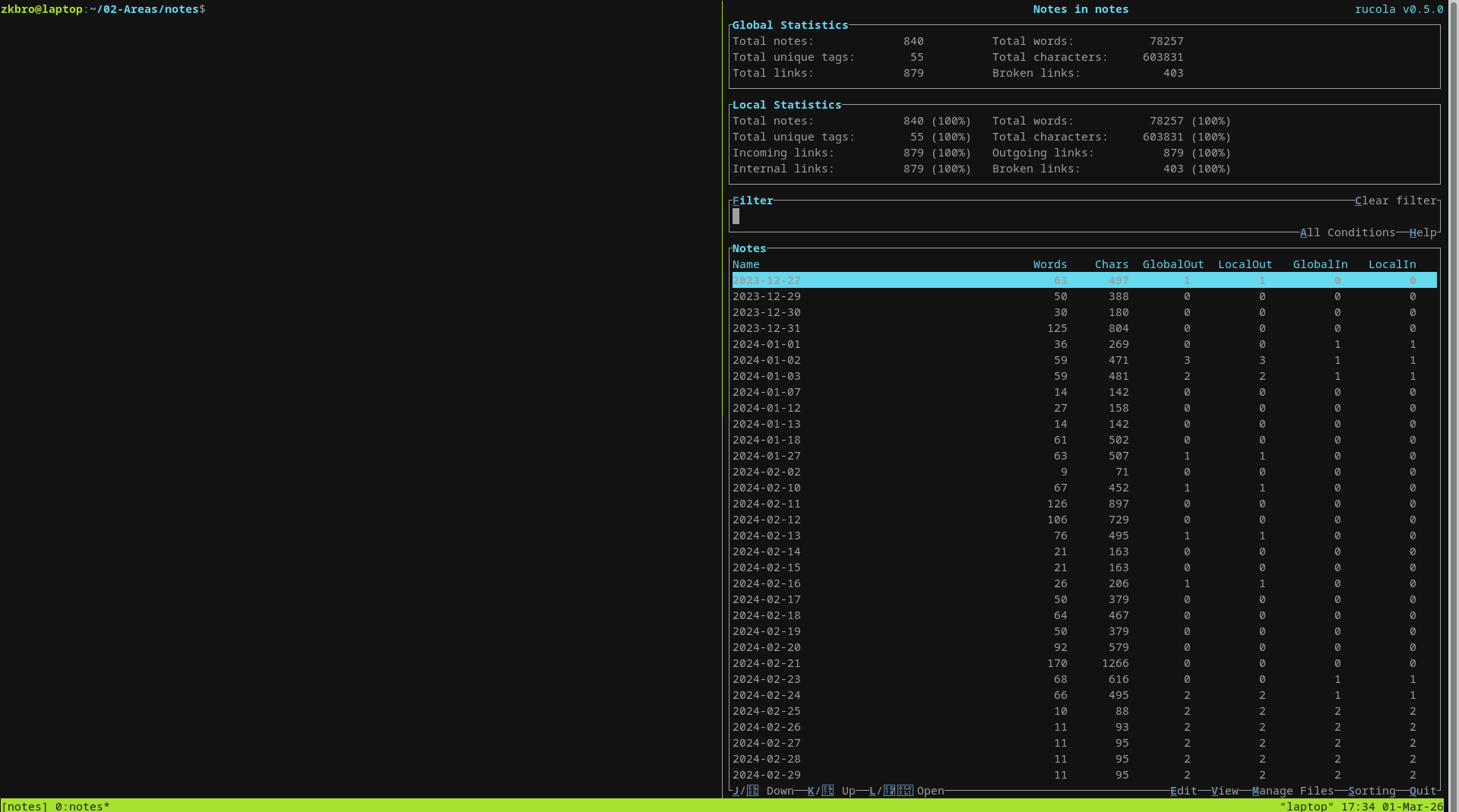
- notes.yaml - opens 2 panes in my notes folder, one with rucola open, which is a fantastic markdown note manager.
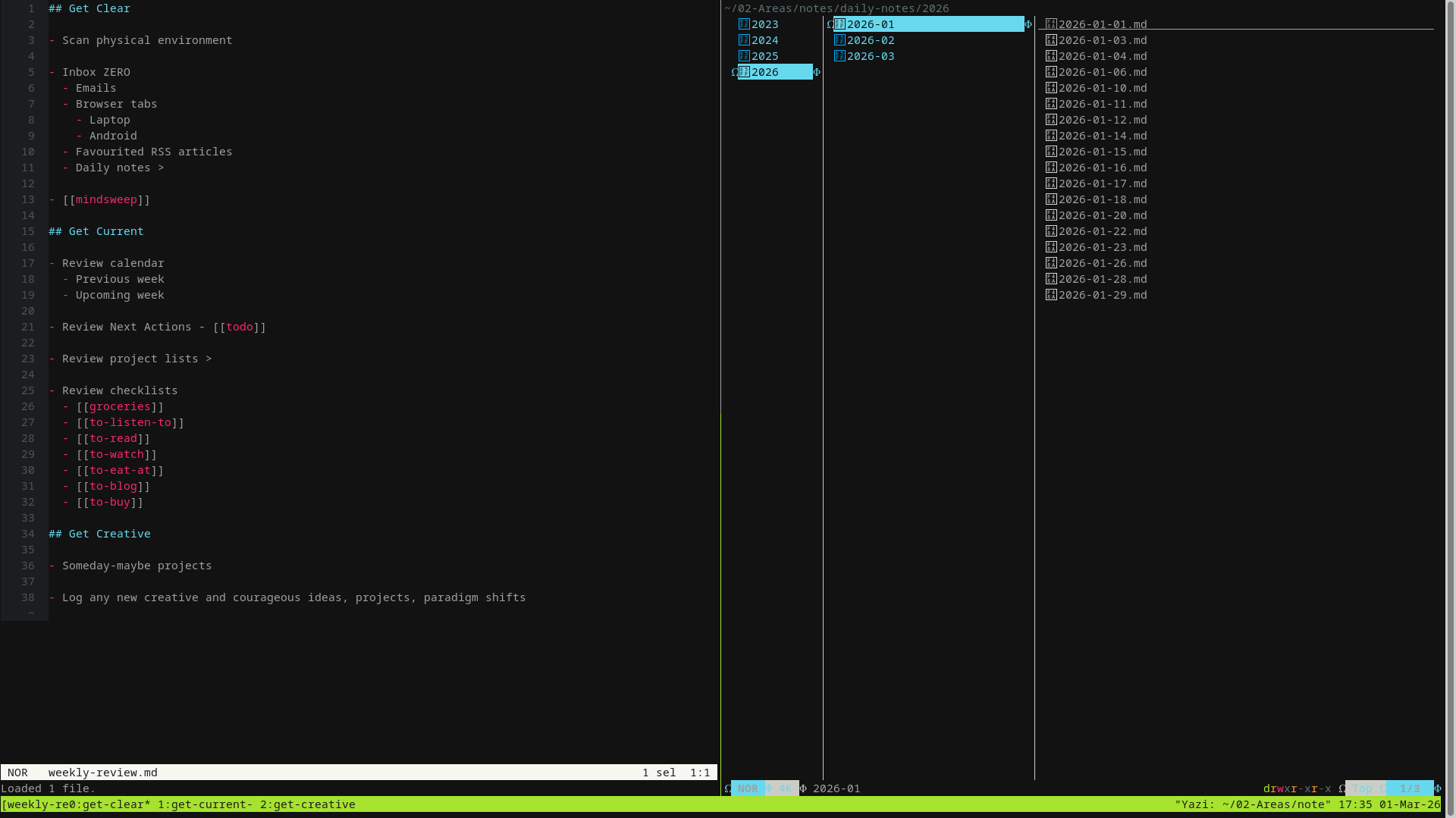
- weekly-review.yaml - opens 3 windows, each layed out in the GTD weekly review format.
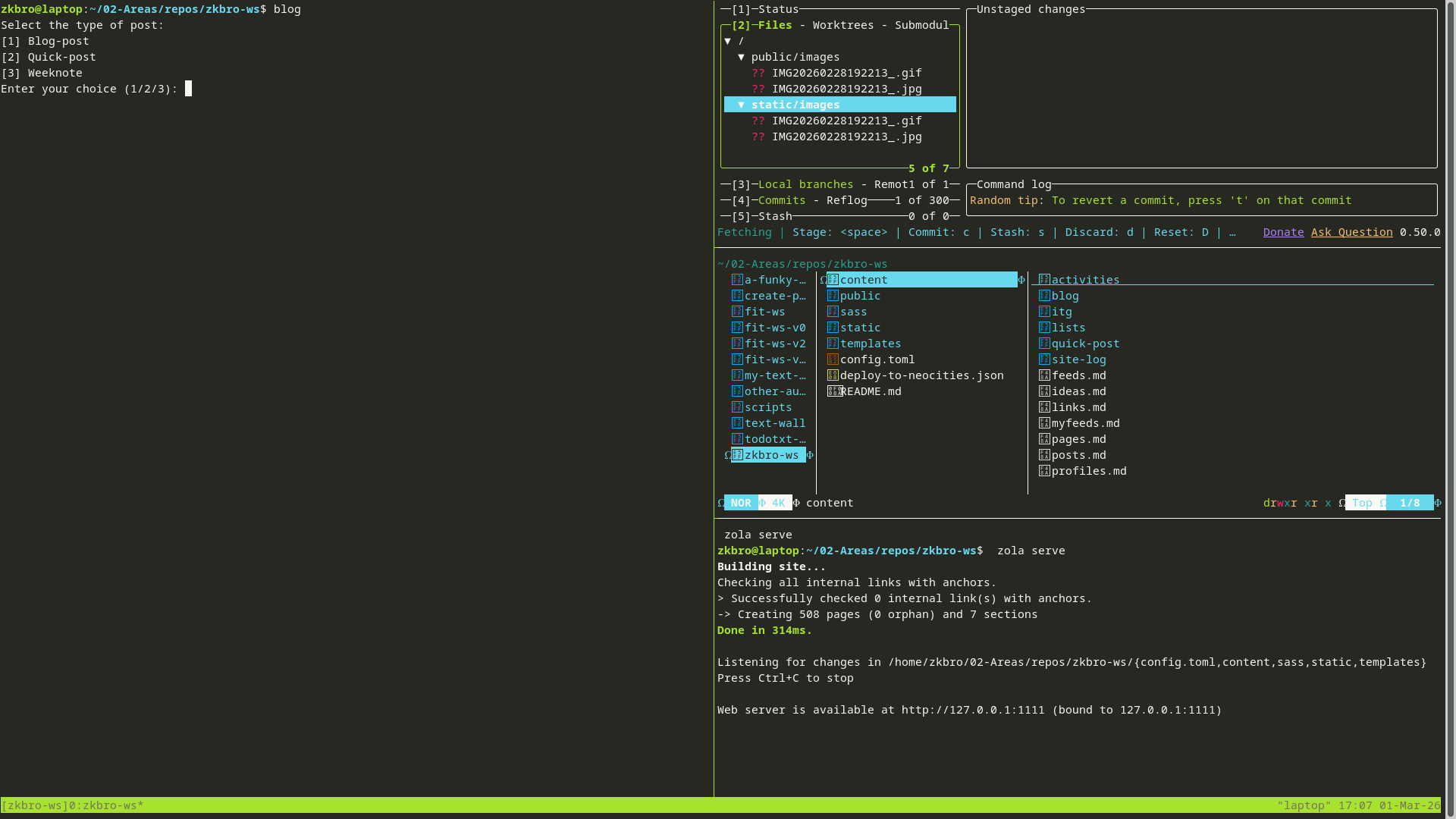
- zkbro-ws.yaml - opens all the relevant tools like lazygit, yazi and zola running
zola serve, and pane space to write new posts edit files for my website - fit-ws.yaml - same as above for a different website
I create aliases in ~/.alias to quickly load the workspaces from the terminal:
alias tmb='tmuxp load ~/.tmuxp/zkbro-ws.yaml'
alias tmf='tmuxp load ~/.tmuxp/fit-ws.yaml'
alias tmn='tmuxp load ~/.tmuxp/notes.yaml'
alias tmw='tmuxp load ~/.tmuxp/weekly-review.yaml'
I don't use any fancy terminal emulators - just gnome-terminal in GNOME and xfce4-terminal in Xfce.
I use Helix as my text editor, which itself has some pretty nifty window and pane management, and file pickers. I am contemplating making more use of them in a tmux session for coding projects, which I haven't set up yet.
zkbro-ws:
notes:
weekly-review:
Here's one of the tmuxp files (zkbro-ws.toml):
session_name: zkbro-ws
start_directory: "~/02-Areas/repos/zkbro-ws"
windows:
  - layout: main-vertical
    options:
      main-pane-width: 50%
    panes:
      - focus: true
      - shell_command:
          - lazygit
      - shell_command:
          - yazi
      - shell_command:
          - zola serve
    window_name: zkbro-ws
If anyone has an example of a coding IDE setup using tmux/helix/yazi, I'd love to see it for some ideas.