My approach to GTD - reflection
2025-12-29 12:25
This is part 3 of my "approach to GTD" series. Previously I tackled the capture and processing stages. Here I will talk about reflection.
Reflection to me is ensuring all those things I've previously captured, clarified and organised don't slip away forgotten, new things that have popped up are also captured and processed, and that the right things are prioritised according to what is going on in my life. The method I use here is the Weekly Review.
The weekly review comes in many shapes and sizes. I have adopted the official GTD Weekly Review Checklist into my own version and workspace shown below:
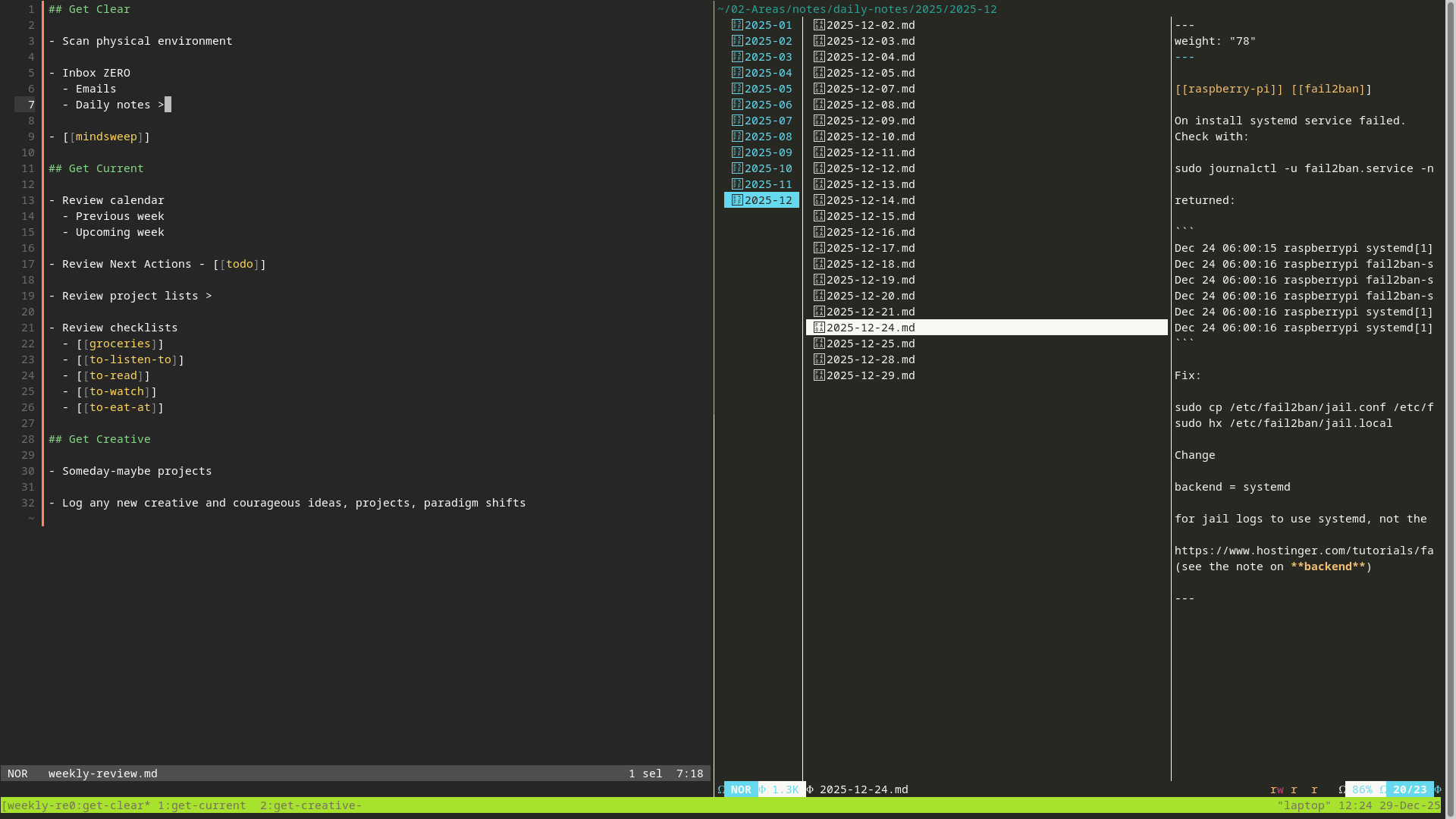
Here I have created a workspace environment that aligns the the GTD Weekly Review Checklist, yet has quick access to most of the spaces I need to visit to get through the three main steps:
- Get Clear
- Get Current
- Get Creative
I am using tmux multiplexer for my workspace, with a pre-configured session layout loaded via tumxp session manager. To open this weekly-review session I have set an alias tmw which I simply type into the terminal. I press F11 for full-screen (as I do most tmux sessions, but especially for a weekly review which deserves some focused attention).
Markdown files, like the weekly-review.md on the left pane, are loaded in the helix text editor (with additional marksman LSP power), and file explorers, like the daily-notes folder on the right pane, are loaded in the yazi file manager.
I have divided the tmux session into three windows shown at the bottom: get-clear, get-current, get-creative. As I tick down the weekly-review.md checklist I skip to the next window with CTRL-B+0/1/2.
Some of the steps require me to leave the terminal like scanning and collecting things from my physical environment, or visiting email inboxes. Where I have denoted > means it is the pane on the right. Where there is an [[internal-link]] means I can quickly jump to that file using gd (goto definition) and return via ga (goto last accessed file).
The [[mindsweep]] is a blank file. Before I end the mindsweep, I'll cut the list and paste it into my [[todo]] file, returning to them in get-current when I will do some further processing. Because I'm working in my /notes/ directory I can open any file that appears in my head via the file picker, pressing SPACE+f and start typing the note name. Great for mindsweeps as I might need some triggers buried in other notes.
I like to have the GTD book open on the trigger list page (116) to help with the mindsweep.
@TODO - digitise the GTD mindsweep trigger list.
When I go into my [[todo]] file I'll cut out completed actions, moving them to [[done]], but scan for an unfinished business. I'll re-prioritise things (A for today), (B for project actions), (C for some time this week). I'll flesh out the mindsweep dump, and add @context, effort (@low, @med, @high) and time (@1h, @15m) etc which are handy for on the fly decision making on what to do next (I have context/time/effort searches bookmarked in Obsidian).
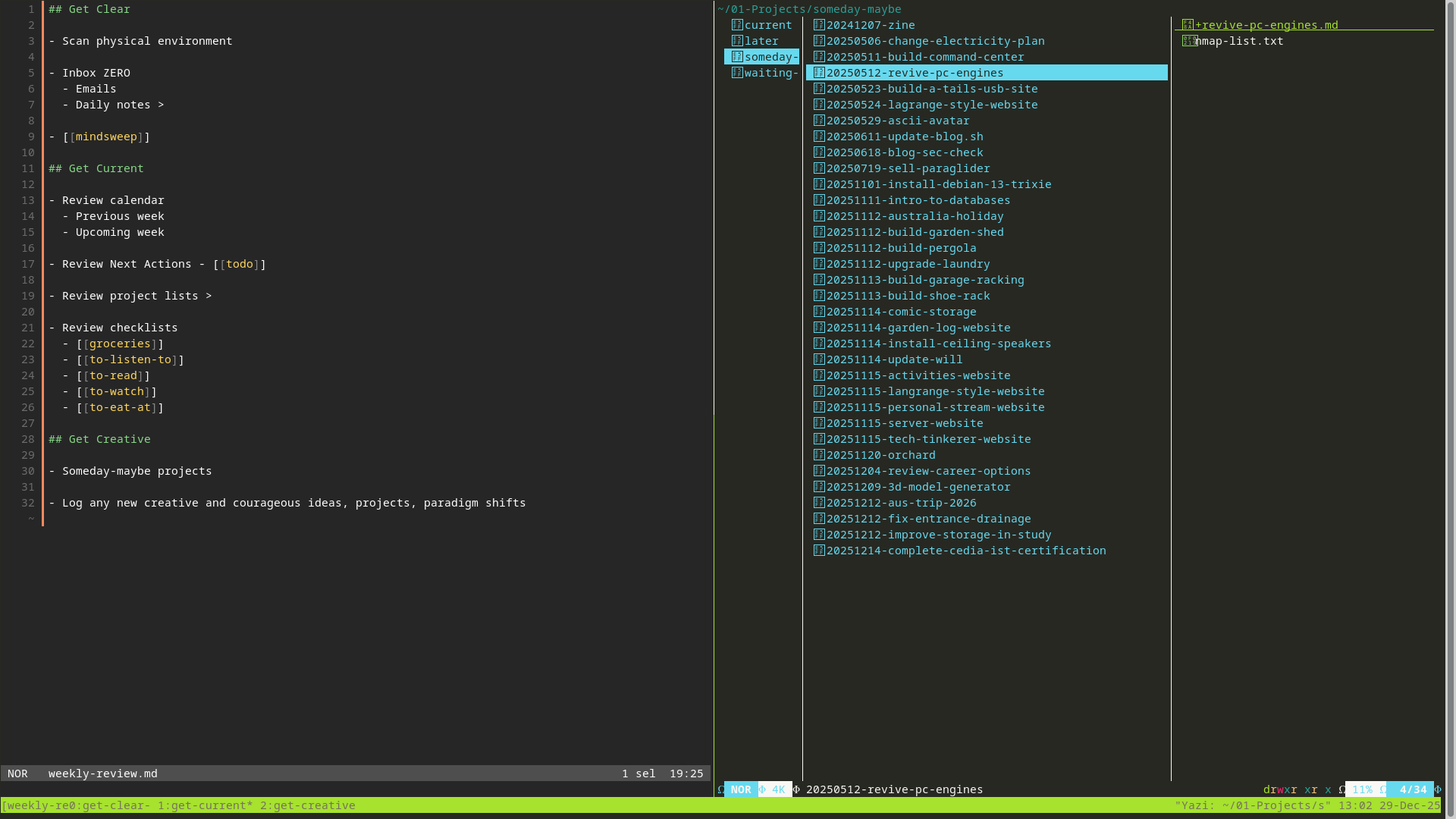
I particularly like the scan of my projects lists, where I may pop things back into the "current" folder or move back out to "someday-maybe". Yazi makes that really easy from the keyboard.
~gome has written recently of revisiting projects:
If you do a lot of projects, it’s a good idea to always leave any given project in a state where it’s easy to pick back up after a break. You might take notes about what you were trying to do, or take thorough recordings of your music, or make sure your code is in a working state. You want to keep it easy to come back and restore context.
I like to think my system is achieving this quite nicely, and a means to tackle open-loops as ~gome eleborates on.
I'll move to each current project's +project-initiation-documents and ensure at the very least I have some next actions layed out (and copied into my [[todo]] priority B (reserved for project actions).).
I'll quickly add to my grocery list (remember this is all synced to Obsidian on my phone), and scan my @to- files which might trigger an action to acquire movies/music or book a restaurant etc.
If I've got the creative juices flowing I'll go into window 3 (get-creative) which is a full-screen of my projects folder, and start fleshing out projects at a deeper level in the PID, or open a Freeplane mindmap of that project for some brainstorming.
In summary
I try to do my Weekly Review weekly because I really enjoy the process, but it rarely happens. Instead I chip away at small fragments on a day-to-day basis. Adding new actions straight into the todo, generating a new project. In reality the weekly review doesn't take too long, but I do have to be in the right frame of mind, and a nice quite place. Early morning is best for me. I'm aiming for Fridays currently, so I have cleared my head of work to make room for weekend headspace.
BUT... I can still feel overwhelmed or not on the right track! For me, to REALLY feel aligned, doing the RIGHT things at the RIGHT times, being OK with NOT DOING things... I need to engage with the GTD Six-Level Model for reviewing higher horizone levels like long term goals, visions, purposes and principles. I actually think this is more of a 'reflection' step, but I get that the bottom up approach makes it more 'engaging'.
I am currently writing these posts as a way for me to get back on track with the use of GTD. I have a pulling towards this higher horizon engagement right now, so look forward to fleshing it out in the coming weeks and sharing how I go about it.