Activity database mods
2026-01-18 21:40
I've got something wrong with my foot, so rather than being out and about this weekend, I got stuck into my activity data setup. My method has been a bit unwieldy:
- I download the garmin .fit files with a python script that runs as a systemd service
- The same script appends the data into an existing pandas dataframe via a pickle file, does some conversions to create a gpx file for each new .fit file with location data, then saves a new pickle file and a DuckDB db
- There is a script that creates an activity page in markdown format for my website, and a html map and elevation profile when there is location data. This script pulls in the pickle file and does metric conversions in a copy of a dataframe
- There is another script that stitches together elevation profiles from the GPX files to create the dynamic header for my website, and creates the 12-week progress chart using metrics from the DuckDB
- I update notes and photos in the generated activity page markdown files, which sits out of any database and not linked back to the data.
Like Lars-Christian, I've got a list of improvements I'll be making. A lot of the changes in similar vein to Lars-Christian's (check out his post, it's a great read if you're into tinkering with these kinds of things).
Chipping away
I've started working on a new site specific to my activity data. Before I get it going I want the backend a bit tighter.
Firstly, I've expanded on the DuckDB database (activities.duckdb). I started early on appending everything into DuckDB in anticipation of this moment. Going forward it will be the source of truth for everything down the pipeline. I'm still using harlequin to query and build the database, however I gave duckdb-ui a go too which was really nice. Similar to jupyter layout and function with cells and all.
I've added a custom table to house extra info like a activity title, notes, equipment used, and if it was an event or not. DuckDB allows list/array text data types so I've used that where there'll be multiple items. Useful for fields like photos and equipment. I'm just future-proofing for the moment. Right now they're just dumb fields where I can enter values.
I downloaded my Strava data into a table too and copied over all the titles and notes from anything that was there. Joining multiple sources... starting to feel like I'm doing databases the right way.
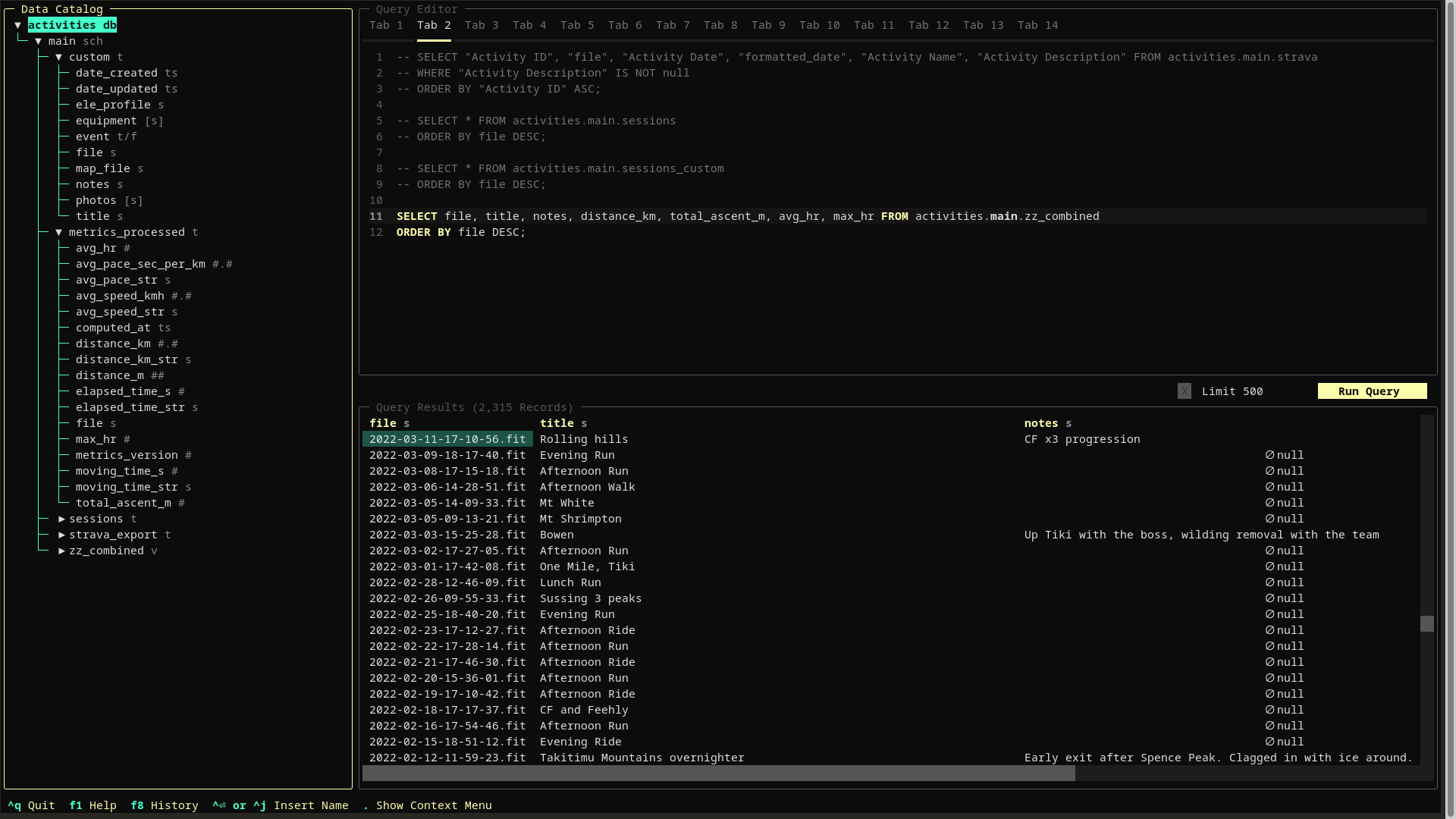
Harlequin with the activities.duckdb open.
The other table I added was a metrics_processed table. This hopefully means I won't need to do any more conversions outside the database. It's already done. This will be great for when I re-write the activity page creation scripts for my new website.
The next bit is how to update the custom data in the database. I decided a web form would be the most practical. I created a little python script that uses flask to route into the database and spit it out into the HTML file. I call this up from anywhere with the activity-editor alias. Like I said previously the fields like photos are dumb, just simple text fields to store photo file names, but I'm churning in my head tweaking this later to some other database of photos. For now though it is good to see the photos I'm using and be able to copy the text down the track.
Once I make any changes I can click the "Update" button and it writes it all back to the database. Brill.
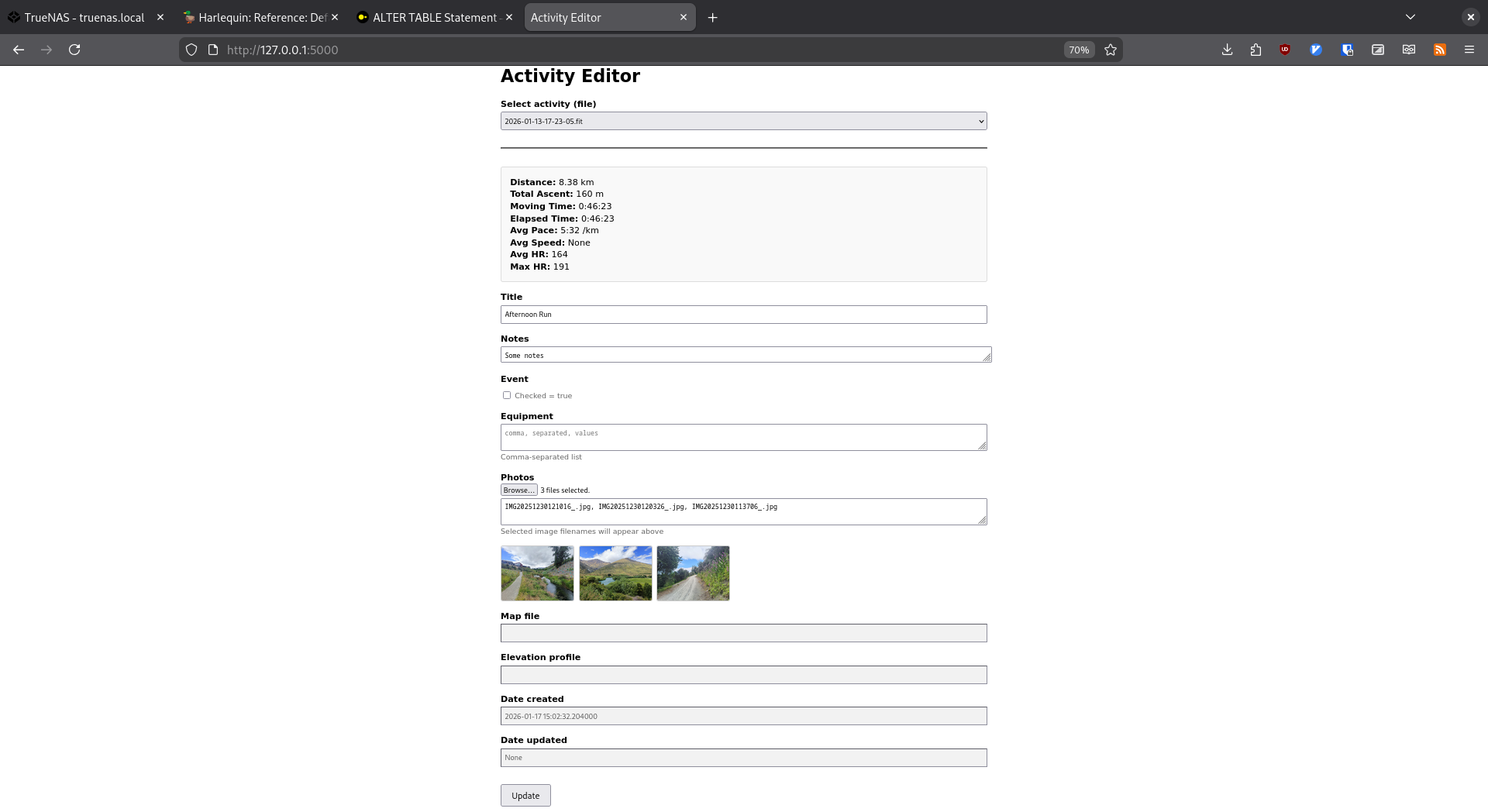
Activity editor
I've automated default titles based on time of day and activity type... same as Strava.
Where to next
I'm thoroughly enjoying learning all this new stuff with databases, and it's great to learn on data that I love revisiting. I have a much bigger list of where this is all going, but this is front of mind for now:
- Pull in notes and photos from this site (likely will be manual.. there's not much)
- Pick apart the website scripts, making them a bit more website-agnostic, and more focused on the creation of what I'm calling "artefacts" - map htmls, elevation profiles, charts etc.
- Finish the new website so I can pull all this stuff in.
- Pull into the duckdb my 2008-2016 strava data from the Strava API (the standard Strava export doesn't go back that far for some reason)
- Consider a separate database for activity photos, and update accompanying scripts to process photos (downsizing, thumbnail creation, storing).
Of course, if my foot gets better I'll probably just throw things on the back-burner again.